Welcome To Topandfreedroid

Installing Applications Through the Android Market

The Android Market is essentially Android’s answer to Apple’s iPhone App Store. As of September 2009, the Android Market already offered well over 10,000 applications, and this number has only continued to grow. In addition to the applications the Android Market offers, you can also use it to install other downloaded third party applications.

  1. Copy the APK file to your Android’s memory card and insert the card into your phone.
  2. Download and install the Apps Installer application from the Android Market
  3. Once installed, the Apps Installer will display the APK files on the memory card.
  4. Click and install your APK files.

Installing Applications With Android SDK

It is possible to install APK files without utilizing the Android Market, although the process is more difficult and complex. To avoid the Android Market, you need to use Android SDK.

  1. Download and install the Google Android SDK program and the Android USB drivers. The download links are as follows: http://code.google.com/android/intro/installing.html
  2. http://dl.google.com/android/android_usb_windows.zip
  3. You need to modify your Android’s settings to allow the installation of applications from other sources. Under “Settings,” select “Application Settings” and then enable “Unknown Sources.” Also under “Settings,” select “SD Card” and “Phone Storage,” and finally enable “Disable Use for USB Storage”
  4. This last step is easy. Open Command Prompt and type the following: adb install <1>/<2>.apk
  5. However, when you type the command, replace <1> with the path to your APK file and replace <2> with the name of the APK file.
  6. You’re done! Your application is now ready for your use and enjoyment.

Sunday, September 30, 2012

Game Releases • Turbo Racing 3D v1.0

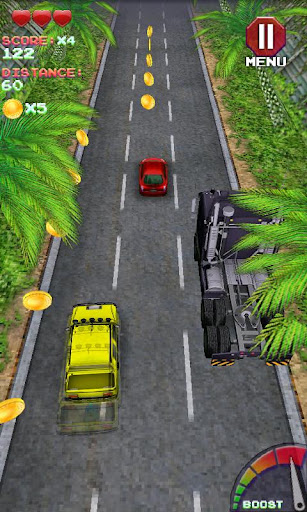
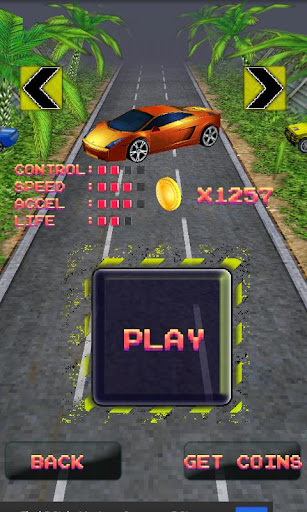
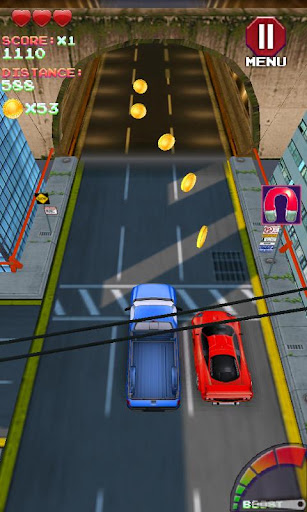
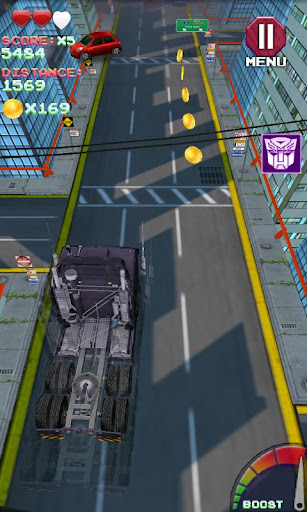
Turbo Racing 3D v1.0
Requirements: Android 2.2 or higher
Overview: Turbo 3D Racing is Free and Fully 3D

Image
Image
Image
Image
Image

Unlock Awesome Cars
Speed through 5 unique Environments
Pick up power ups and crash through traffic

Theres never too little speed in Turbo 3D Racing

Tilt your phone to turn and swerve through traffic
Touch the screen to Boost and speed even faster
The further you make it the Faster it gets
Collect coins to unlock new cars

More Info:
Download Instructions:
http://ul.to/cowusxi5

Mirror:
http://depositfiles.com/files/gz869e82u
http://rapidgator.net/file/40418565/

Statistics: Posted by readybes — Sun Sep 30, 2012 9:28 am


Game Releases • Global Outbreak v1.0

Global Outbreak v1.0
Requirements: 2.0.1 and up
Overview: Play Global Outbreak and help save humanity from the zombies!
Image

Image
Image
Defend mankind from a killer virus spreading
across the globe in this strategic and
explosive top down 3D shooter!
Use the fully 3D tactical view of the globe to
plan your strategy then control your soldiers
in epic missions throughout the world.
Welcome to Global Outbreak. You are the
head of Blackhorne Industries, the world’s
best and most trusted mercenary outfit.

The world has been hit by a lethal virus,
turning people into enraged zombie
mutants.
The authorities of each city are working
hard to prevent the virus from spreading,
but you have been assigned to act quickly
and decisively before the bombs drop!

- Location Aware: The game is truly global,
and by turning on your GPS, Global Outbreak
will tailor your gaming experience around
your location.
- Soldiers: In the fight against global
annihilation people are key. Build up a
roster of elite mercenaries by levelling up
their abilities. Take them from campaign to
campaign and build an army of ultimate
warriors to fight the infection.
- Weapons: Increase your firepower by
unlocking new weapons and researching an
immense range of upgrades.
- Unique Controls: Direct your squads with
a control system designed from the ground
up for touchscreens, allowing you to play
the game with just one finger.

This game has no advertisements

More Info:
Code:
https://play.google.com/store/apps/details?id=com.redrobot.globaloutbreak

Download Instructions:
http://ul.to/ollxq1vx

Statistics: Posted by wodeaigsq — Sun Sep 30, 2012 9:40 am


iMediaShare 4.4 (Android)

iMediaShare 4.4 (Android)

Overview: Discover and enjoy personal and online media directly on your TV screen

Requirements: Android OS 2.1 and up

Market Update Released: September 29, 2012

Price: $4.99


by5 iMediaShare 4.4 (Android) jlrup zps9d74514c iMediaShare 4.4 (Android)


What’s New in iMediaShare version 4.4:

✓ Optimized user interface for Android Tablets

✓ Browse and enjoy Facebook friends’ shared photos

✓ Stability and performance improvements


Enjoy watching phone videos and photos, and playing music on your large-screen TV!


iMediaShare transforms your Android device into a remote control seamlessly streaming personal and online media to your connected TV.


iMediaShare requires no additional hardware, no cables and no TV apps. All you need is an internet-enabled TV and a WiFi network.


iMediaShare lets you take your favorite content everywhere with you making it easy to share it with friends at any time on any connected screen.


Advantages over iMediaShare Lite:

- Ad-free experience

- Video playback from YouTube links

- Video playback of arbitrary mpeg files from the internet and other apps

- More online video channels in HD


Online channels in the full edition include: Animal Planet, Bild, Beet TV, Break.com, CBS News, CNBC, CNET (HD), CNN, COIN-OP TV, College Humor, Content One, Dailymotion, Deutsche Welle, Driving Sports, Earth Touch, Engadget, Euronews, Facebook, France 24, Funny or Die, G4, Harvard Business Review, HDNet, Les Debiles, MaYoMo, Motorz (HD), NASA TV, NY Times, Picasa, PortalZINE, PR Newswire, PSN, Revision3 (HD), Showtime, Spiegel Online, TED Talks (HD), The Onion, TWiT TV, VideoBASH, White House, YDN Design, YouTube (HD).


Supported players:

1) Televisions from Samsung (w/ AllShare), LG, Sony BRAVIA, Philips, Panasonic Viera, Toshiba

2) Game consoles: Sony PlayStation 3, Microsoft XBox 360

3) Network Media Players: Apple TV, Sony Blu-ray, LG Blu-ray, WD TV Live, Popcorn Hour, Xtreamer, Marantz, DirecTV, Logitech Revue (Google TV), etc.

4) Audio players: Denon, Sonos, Onkyo, Linn, Philips Streamium, Yamaha, etc.

5) PC/Mac media servers: Twonky, Skifta, Windows Media Player, etc.

6) Other DLNA/UPnP compliant media players.


NOTE (1): For best playback performance on PS3, please, ensure that your PS3 is WIRED and not WIRELESS.


NOTE (2): Videos recorded with the phone’s camera are not supported by some TVs and game consoles.


NOTE (3): For Toshiba TVs, please, enable Media Renderer mode from TV Preferences -> Network Device Setup.


hbsclas85t zps4fea0b3c iMediaShare 4.4 (Android) hflat9i84t zps8fafd018 iMediaShare 4.4 (Android)


Topandfreedroid.blogspot.com Download Android Market Apps

https://play.google.com/store/apps/details?id=com.bianor.amspremium


Download iMediaShare 4.4 (Android)


Topandfreedroid.blogspot.com Download Android Market Apps

http://ul.to/6g455srj/imd.4.4.Android.zip

http://bitshare.com/files/b2kc30l5/imd.4.4.Android.zip.html

http://extabit.com/file/28db8s8hwqu09

http://www.filedownloads.org/tpiubc6r6d9v/imd.4.4.Android.zip.html

http://rapidgator.net/file/47187647/imd.4.4.Android.zip.html

http://cyberlocker.ch/ibfcddip803e



The post iMediaShare 4.4 (Android) appeared first on Megandroids.